Welcome to Viqal
What Viqal is, your first steps, and how to find your way around.
Written By Bram Haenraets
Last updated 20 days ago
Viqal is a WhatsApp-first guest-messaging assistant for hotels. It answers guest questions automatically, around the clock, in each guest's own language, and hands off to your team when a person is needed. It works alongside your existing systems rather than replacing them: your PMS stays the source of truth for bookings.
How setup works
Onboarding is quick. At sign-up you enter your property name, your name, and, to give the AI a head start, your Booking.com listing and website URL. Viqal reads those to pre-fill most of your setup, and you review and complete the rest. Your Overview tracks what is done and what is left.
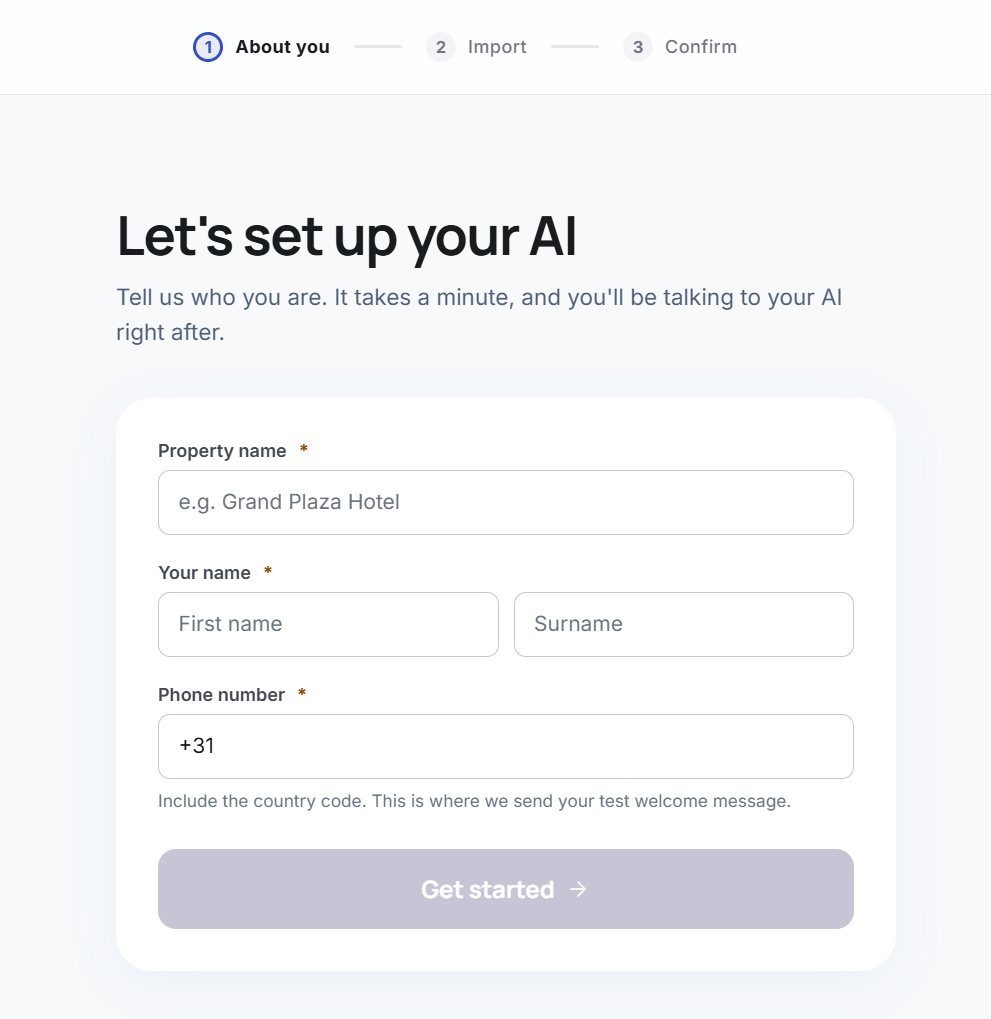
Step 1 — About you
Three fields. Your property name, your name, and a mobile number.
The phone number matters more than it looks. That's where your first test message goes, so use a number with WhatsApp on it. Include the country code.
Step 2 — Import your property
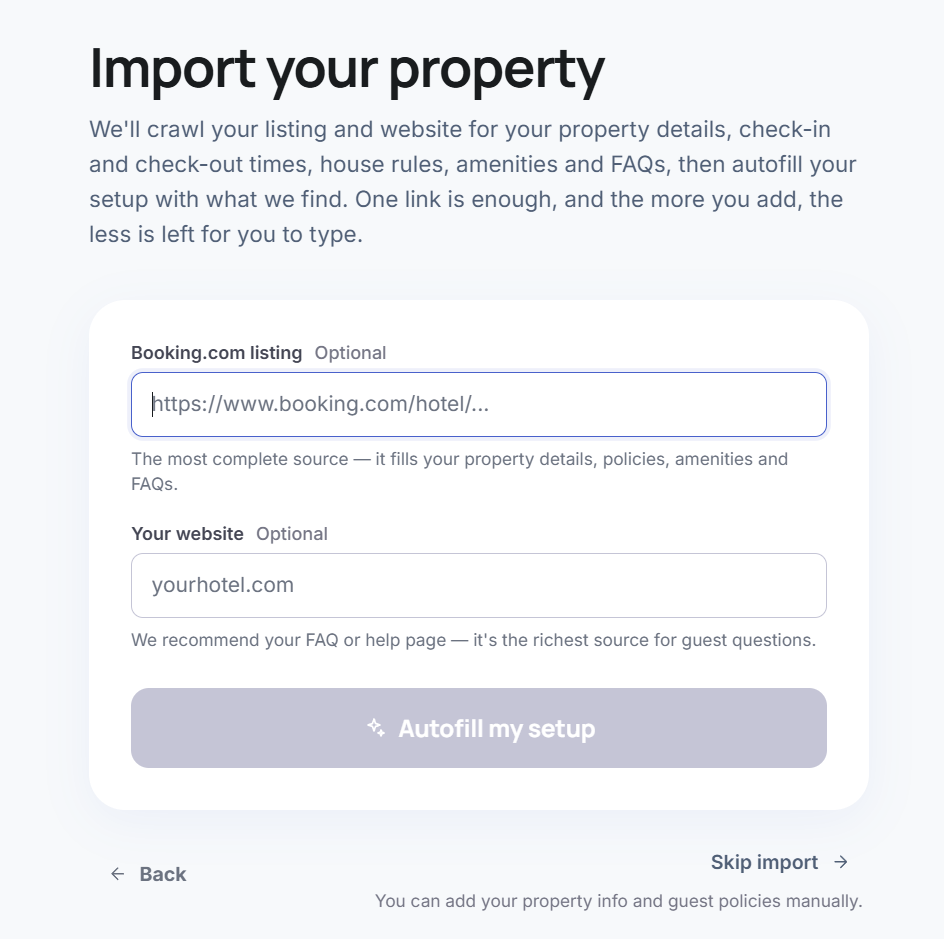
Paste your Booking.com listing, your website, or both. Viqal reads them and fills in property details, check-in and check-out times, house rules, amenities and FAQs.
Booking.com carries the most. If your site has an FAQ page, add that too. Both are optional — skip and you type it in yourself.
Step 3 — Confirm
A look at what came through. Fill any gaps now or later from Overview.
Wi-fi, early check-in and luggage storage are rarely on a listing, so expect to add those yourself. Guests ask about all three constantly.
Free access covers setup and testing
Free access gives you a real WhatsApp Business account and everything you need to build: property details, templates, guest journeys, campaigns. You can message yourself and your team and see exactly what guests will see.
Going live with real guests needs a paid plan. That's when you connect your reservation system, switch the assistant on, and it starts looking after guests.
Then you can launch fast
You do not need to finish everything first. Once your PMS is connected and your welcome message is confirmed, switch the system on. Completing your knowledge base improves accuracy but is not required to launch, and you can keep refining after you are live.
Get set up
Complete your property setup — review and finish the rooms, amenities, policies and knowledge Viqal pre-filled, so the AI answers accurately.
Create templates — build the messages you send guests, from plain text to carousels and forms.
Set up your Guest Journey — decide which templates go out and when, from booking through to after checkout.
Handle messages in the Inbox — reply as a human when the AI hands a conversation over, then hand it back.
Connect branded WhatsApp — go live on a Viqal number in minutes, or set up your own hotel-branded WhatsApp.
Connect your reservation system (PMS) — sync reservations, guests and rooms so the AI greets the right guest with the right details.
Was this helpful?
Still need help? Ask the team