Check your WhatsApp Business Account (WABA)
Written By Bram Haenraets
Last updated About 4 hours ago
Your WhatsApp Business Account (WABA) is the WhatsApp account connected to your hotel's Meta Business Portfolio.
It contains your hotel's:
WhatsApp phone number (or a Viqal assigned number)
WhatsApp business profile
Display name
Message templates
WhatsApp messaging settings
Viqal connects to this WABA to send and receive WhatsApp messages for your hotel.
1. Open your WhatsApp Business Accounts
Go to Meta Business Manager and select your hotel's Business Portfolio from the top-left corner.
Then go to:
Settings → Accounts → WhatsApp accounts
You will see the WhatsApp Business Accounts associated with your Business Portfolio.
Select your hotel's WABA.
2. Check your Business Verification status
Click on your hotel’s WABA
Under Business information, look for Business verification.
You may see:
Verified — your Meta Business has completed Business Verification.
Unverified — Start verification — your Meta Business has not yet completed Business Verification.
Verification in progress — Meta is reviewing the information you submitted.
For example:
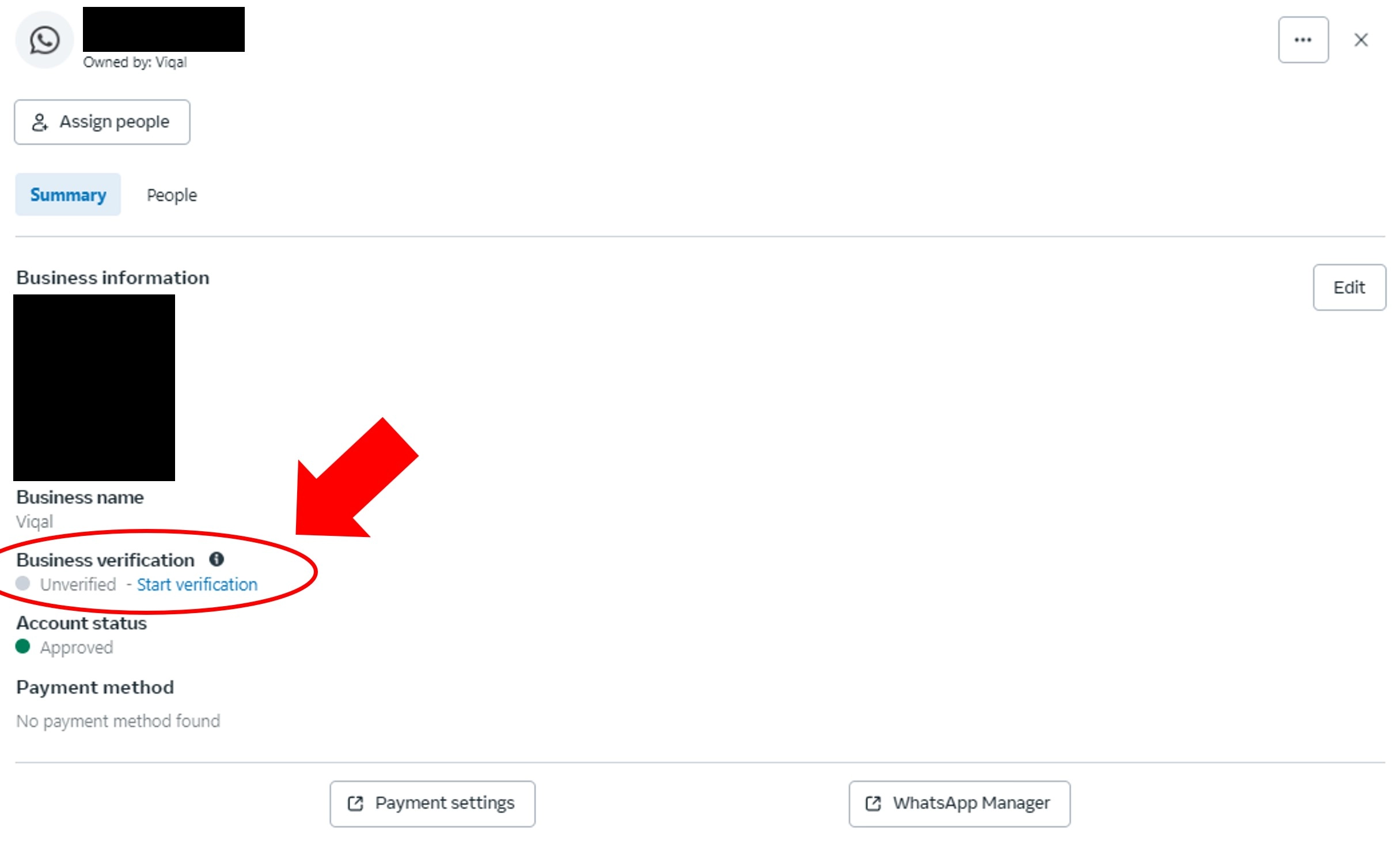
If you see Unverified — Start verification, click Start verification or follow the steps in our Verify your Meta Business Account guide.
Both verifications are handled entirely by Meta — Viqal can support you through them but can't guarantee approval.